
Freedom App Review for Students: Blocking Distractions Across Devices
Freedom is worth investigating if switching between your phone and computer keeps interrupting revision. It publishes a free tier with cross-device blocking; scheduling, longer sessions and Locked Mode require Premium. Blocking differs by platform, and we have not tested how reliably it works. School-age readers should check a material limitation first: Freedom's privacy policy tells under-18s not to supply personal information through its site. [1] [2] [3]
Freedom at a glance
These are provider-published details checked on 18 October 2026. No account, installation, payment or blocking session was tested.
| Question | Published information |
|---|---|
| What does it do? | Blocks selected websites and, on supported platforms, apps; sessions can sync across devices. [1] |
| Platforms | Mac, Windows, iOS, Android and Chromebook are listed. The pricing table does not list app blocking for Chromebook. [1] |
| Free access | Start Now sessions up to two hours; no recurring or advance schedules or Locked Mode. [2] |
| Web monthly offer | US$8.99 per month was displayed. Offers can change; local store prices may differ. [1] [4] |
| Younger users | The privacy policy says under-18s should not supply personal information through the site. Terms also require legal capacity to contract. [3] [5] |
| Main limitation | It restricts access; it does not choose revision tasks or resolve why you want to leave them. |
What this review can and cannot tell you
We read the pricing, feature, Locked Mode, billing, privacy and terms pages. We did not install Freedom or test permissions, battery use, bypass resistance, accessibility or a complete revision session.
The fit judgments are based on those published features. A successful block, more time at a desk and better learning are different outcomes. This review does not establish that Freedom improves marks or treats anxiety.
What is free, and what does Premium add?
The free account includes custom blocklists and use across multiple devices. The help page limits it to sessions started now and lasting no more than two hours. Premium adds advance and recurring schedules, longer sessions and Locked Mode. [2]
That makes the free tier a useful place to check whether selective blocking fits your work at all. A longer permitted session is not a recommendation to revise without breaks.
Check your platform rather than assuming every item in a general feature list works everywhere. The provider's pricing table lists website exceptions for Mac and Windows, but not for its mobile platforms or Chromebook. [1]
Locked Mode is a restriction, not an unbreakable promise
Freedom describes Locked Mode as limiting changes to active sessions. It has separate dashboard and device settings; the exact restrictions differ between platforms. The provider recommends enabling it only after you are confident in the schedule. [6]
Its current iOS documentation explicitly says Locked Mode does not prevent disabling Freedom's Screen Time permission in iPhone Settings. The dashboard also documents a limited End Session option. Do not buy it on the assumption that no one can ever stop a block. [6]
Before using restrictions, check that the resources you need remain reachable. A revision block that prevents opening your course page is a setup problem, not a reason to carry on without the material.
A possible revision use: keep the learning route open
Imagine an adult student doing a short set of practice questions on a laptop. They need their course website and a calculator, but keep switching to social feeds on both the laptop and phone. A selective block may fit that task better than blocking the entire internet.
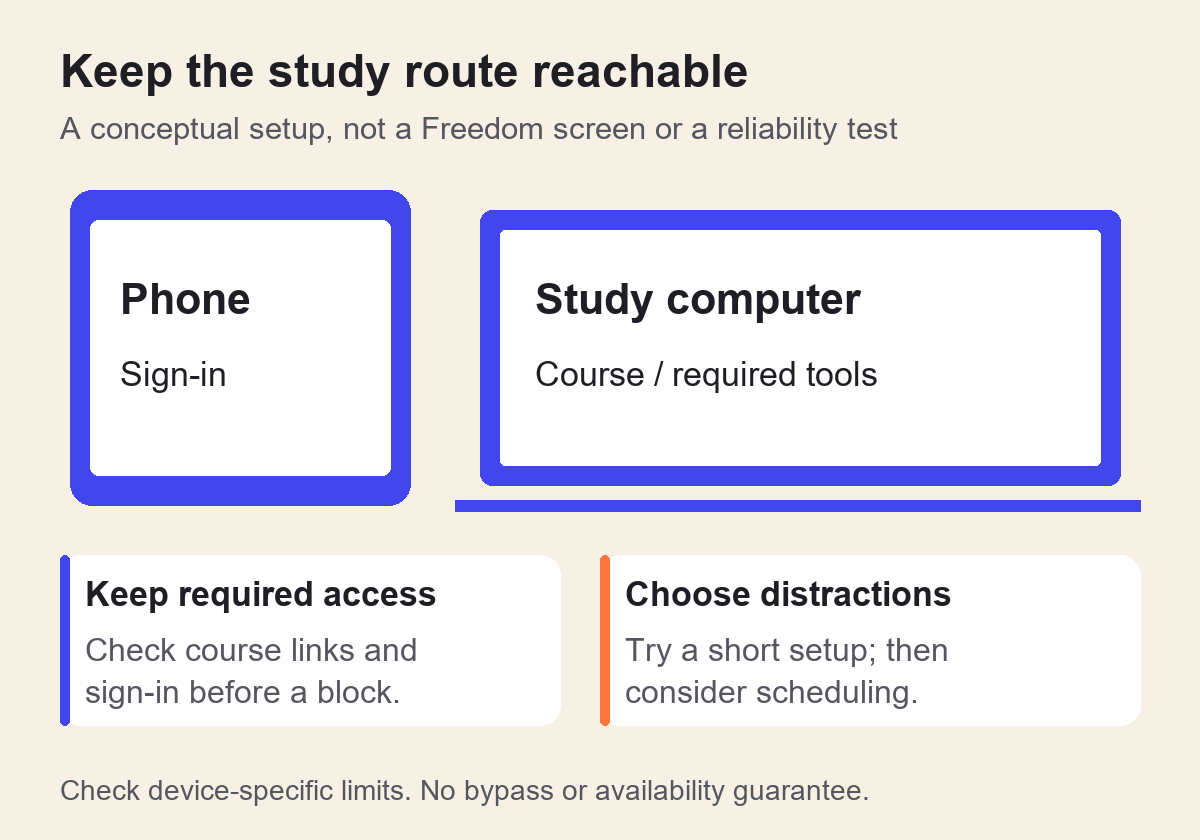
Our suggestion is to try a short, reversible session first, checking course links, sign-in pages and other required resources. Only consider a recurring schedule after that route works. This is an illustrative setup, not a session we ran.
What does it cost, and how does renewal work?
On 18 October 2026 the web page displayed US$8.99 for a monthly plan and a promotional US$99.50 one-off Forever offer. It displayed the yearly plan as a US$3.33 monthly equivalent, but we did not verify its exact annual checkout total. Do not treat the monthly equivalent as a monthly billing option. [1] [4]
Freedom says website prices are in US dollars, while mobile-store prices use local currency. Its billing FAQ describes a seven-day yearly-plan trial that charges unless cancelled, and says subscriptions renew except for Forever. Check the full charge, tax, renewal amount and cancellation date on the offer you actually accept. [4]
Manage cancellation through the platform where you subscribed. Do not assume that uninstalling a blocker cancels the payment. The provider's terms direct website buyers to account management and mobile buyers to Apple or Google. [5]
The age and privacy point students need to see
Freedom's privacy policy says it avoids knowingly collecting personal information about under-18s and asks them not to provide it through the site. That makes this an awkward default recommendation for school students. Do not infer permission to register from an app-store age rating; ask the provider or use another suitable option. [3]
The policy names Eighty Percent Solutions Corporation as the operator and describes account/order information and third-party analytics and marketing services. This is a summary of what it publishes, not an independent security or privacy audit. [3]
If your device is managed by a school or employer, check its permitted-software rules before installing. Keyboard use, assistive technology and permissions on your device were not evaluated here.
Who should consider Freedom?
Adult students with a specific cross-device distraction problem may find the free tier worth investigating. Pay for Premium only if its additional scheduling or restrictions solve a need you have identified. Start with a simple task and a short trial of the setup, rather than a severe block of everything.
If putting a phone out of reach or using controls already on the device is enough, another subscription may add little. Forest and Pomofocus are other products to compare, but their purpose and features differ.
Sources and further reading
These links open external research and health-information websites.
- Freedom: plans and pricing
Web offers, platform matrix and features, checked 18 October 2026. No checkout completed; annual total not verified. - Freedom: free and premium plans
Published tier limits, checked 18 October 2026. - Freedom: privacy policy
Operator, under-18 wording, account data and third parties, checked 18 October 2026. This is not an independent privacy audit. - Freedom: subscription and billing FAQ
Currency, trial, renewal and management routes, checked 18 October 2026. - Freedom: terms of service
Contractual capacity and subscription management, checked 18 October 2026. - Freedom: Locked Mode
Platform-specific restrictions and exceptions, checked 18 October 2026. No bypass or reliability testing performed.
Educational review, not medical advice. Prices, features, and policies change, so check the provider's own pages before you pay or enter personal information.